ads
Sunday, 26 November 2023
Wednesday, 22 November 2023
Sunday, 30 July 2023
Thursday, 27 July 2023
AftersalesTool V1.5.1 Full Updated Transsion Free Download
- Launch IMEItool
- Click ‘Device settings’ at the top left hand corner
- In the new window that pops up, right click on any model > add model
- A new brand named ‘VILLAON’ will be added
- Double click on the name ‘VILLAON’ under brands > change it to the desired brand name
- Do the same for the “models, platform, smartphone, sim , AP & BP” tabs
- Click OK once you’re done
Tuesday, 29 December 2020
Wednesday, 29 July 2020
Thursday, 2 April 2020
How to Register Filmora using the Filmora registration key 2020?
Getting registered in filmora is not a big deal it’s super easy and by following the steps below you can get successfully registered
- First step – Download the Filmora and install it in your pc the downloading links are also given below so make sure you download it first
- After downloading a copy of the registration keys and then paste it in the registration box and make sure your computer is not connected to the internet it will not work online.
- Then you are ready to use the Filmora go registration key 2020.
Sunday, 15 September 2019
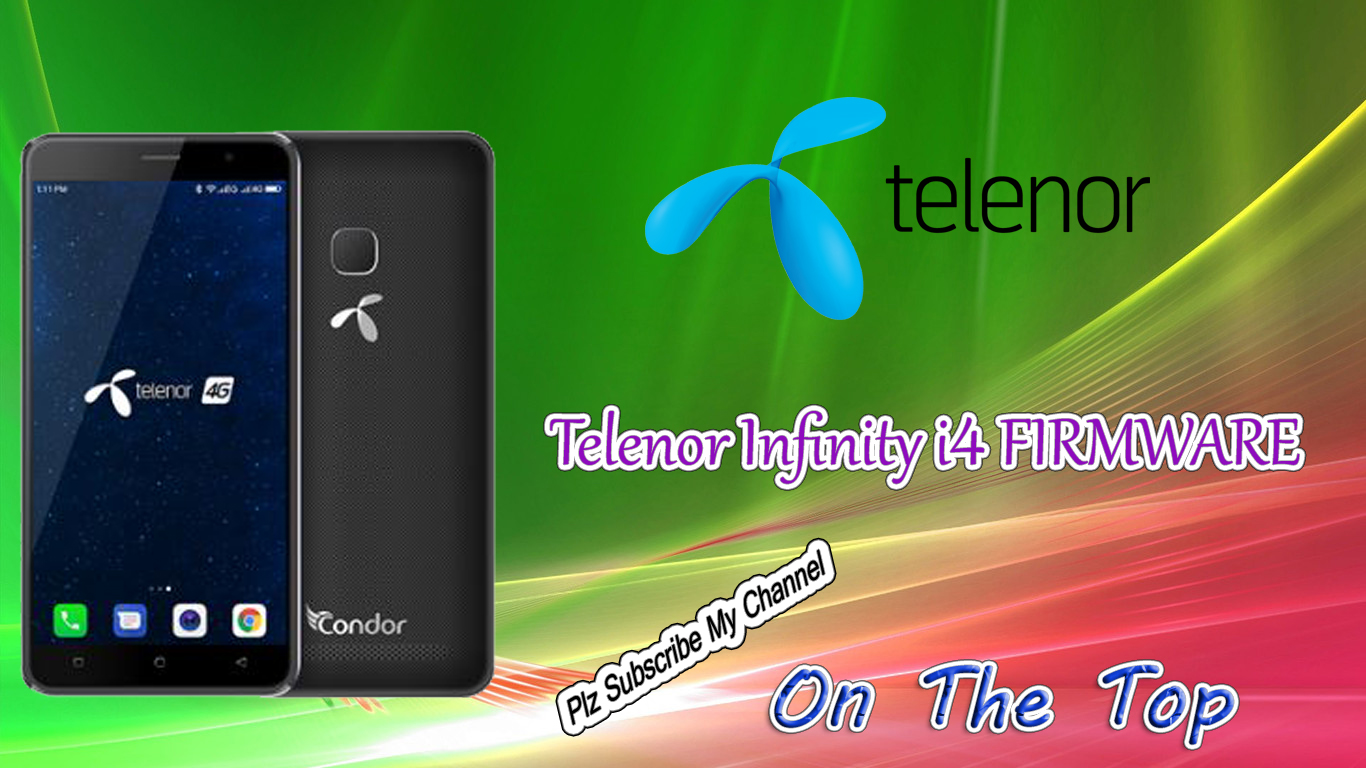
Telenor Infinity i4 Firmware
WARING WARING WARING
SKIP PRELOADER AND FLASH
Brand : Telenor
ProdName : V51
ProdModel : Infinity_i4
Device : V51
AndroidVer: 8.1.0
BaseBand CPU :MT6737M
BaseBand CPU Secure Version : FF
BaseBand CPU Bootloader Version : 02
----------------------------------------------------
INT RAM: 128 KB SDRAM
EXT RAM: 1 GB DRAM
----------------------------------------------------
EMMC: (117Gb+8192Mb) KSI 0x544232383136
EMMC FW VERSION: 20:00:00:00:00:00:00:00
EMMC CID: 700100544232383136 : 00000000000000
EMMC UA SIZE: 0x3a8000000
BOOT STYLE: EMMC BOOT
FULL LENGTH: 0x3a8c00000 [14.637 GB]
Status: USB_HIGH_SPEED
Detecting high speed port, wait......
If driver not installed, install high speed port driver.
If not need high speed port, disable it.
After repeat opperation.
Detected : MediaTek DA USB VCOM (Android) (COM28)
Build ID: O11019
Display ID: H3732.YBT.V51B9.16+1.WB1B5.FB3B5.8.1.Go.Telenor.V01.01.20181213
Version: 8.1.0
Build Date: Thu Dec 13 21:10:36 CST 2018
Model: Infinity_i4
Brand: Telenor
Device: V51
Manufacturer: Condor
Dumping Preloader.
Start dumping flash, this can take up to 1 hour.......
Start processing proinfo
Reading: BEGIN: 0x80000 - LEN: 0x300000
Start processing nvram
IMEI[1] from NVRAM: 3548
IMEI[2] from NVRAM: 354
Start processing protect1 ......
Reading: BEGIN: 0x880000 - LEN: 0xa00000
Start processing protect2 ......
Reading: BEGIN: 0x1280000 - LEN: 0xa00000
Start processing lk ......
Start processing boot
Start processing recovery
Start processing logo ......
Start processing secro
Reading: BEGIN: 0x5200000 - LEN: 0x600000
Start processing trustzone
Start processing frp ......
Reading: BEGIN: 0x6a00000 - LEN: 0x100000
Start processing nvdata ......
Reading: BEGIN: 0x6b00000 - LEN: 0x2000000
Start processing odmdtbo
Reading: BEGIN: 0x8b00000 - LEN: 0x1000000
Start processing vendor
Reading: BEGIN: 0xc000000 - LEN: 0x19800000
Start processing system
Reading: BEGIN: 0x25800000 - LEN: 0x55800000
Start processing sdrpmb ......
Reading: BEGIN: 0x3a5780000 - LEN: 0x1800000
Saved to : C:\Users\PC\Documents\Android_MTK\firmware_backup\
MT6737M_EMMC_Telenor_Infinity_i4_8_1_0_2019_05_28_20_37)
Wait untill phone will start charging.
[0]All done.
MT6737M_EMMC_Telenor_Infinity_i4_8_1_0_2019_05_28_20_37)
SKIP PRELOADER AND FLASH
Brand : Telenor
ProdName : V51
ProdModel : Infinity_i4
Device : V51
AndroidVer: 8.1.0
BaseBand CPU :MT6737M
BaseBand CPU Secure Version : FF
BaseBand CPU Bootloader Version : 02
----------------------------------------------------
INT RAM: 128 KB SDRAM
EXT RAM: 1 GB DRAM
----------------------------------------------------
EMMC: (117Gb+8192Mb) KSI 0x544232383136
EMMC FW VERSION: 20:00:00:00:00:00:00:00
EMMC CID: 700100544232383136 : 00000000000000
EMMC UA SIZE: 0x3a8000000
BOOT STYLE: EMMC BOOT
FULL LENGTH: 0x3a8c00000 [14.637 GB]
Status: USB_HIGH_SPEED
Detecting high speed port, wait......
If driver not installed, install high speed port driver.
If not need high speed port, disable it.
After repeat opperation.
Detected : MediaTek DA USB VCOM (Android) (COM28)
Build ID: O11019
Display ID: H3732.YBT.V51B9.16+1.WB1B5.FB3B5.8.1.Go.Telenor.V01.01.20181213
Version: 8.1.0
Build Date: Thu Dec 13 21:10:36 CST 2018
Model: Infinity_i4
Brand: Telenor
Device: V51
Manufacturer: Condor
Dumping Preloader.
Start dumping flash, this can take up to 1 hour.......
Start processing proinfo
Reading: BEGIN: 0x80000 - LEN: 0x300000
Start processing nvram
IMEI[1] from NVRAM: 3548
IMEI[2] from NVRAM: 354
Start processing protect1 ......
Reading: BEGIN: 0x880000 - LEN: 0xa00000
Start processing protect2 ......
Reading: BEGIN: 0x1280000 - LEN: 0xa00000
Start processing lk ......
Start processing boot
Start processing recovery
Start processing logo ......
Start processing secro
Reading: BEGIN: 0x5200000 - LEN: 0x600000
Start processing trustzone
Start processing frp ......
Reading: BEGIN: 0x6a00000 - LEN: 0x100000
Start processing nvdata ......
Reading: BEGIN: 0x6b00000 - LEN: 0x2000000
Start processing odmdtbo
Reading: BEGIN: 0x8b00000 - LEN: 0x1000000
Start processing vendor
Reading: BEGIN: 0xc000000 - LEN: 0x19800000
Start processing system
Reading: BEGIN: 0x25800000 - LEN: 0x55800000
Start processing sdrpmb ......
Reading: BEGIN: 0x3a5780000 - LEN: 0x1800000
Saved to : C:\Users\PC\Documents\Android_MTK\firmware_backup\
MT6737M_EMMC_Telenor_Infinity_i4_8_1_0_2019_05_28_20_37)
Wait untill phone will start charging.
[0]All done.
MT6737M_EMMC_Telenor_Infinity_i4_8_1_0_2019_05_28_20_37)
MT6735__Telenor__Infinity_i4__V51__8.1.0__
FIRMWARE PAID
RS: 150
Facebook:https://web.facebook.com/profile.php?id=100013472415055&ref=bookmarks
Instagram:https://www.instagram.com/azaannazik/?hl=en
twitter:https://twitter.com/Ranahan77531296
WhatsApp: +923006815034 +923008538441
Friday, 13 September 2019
CALME C552 Flash File
Operation : Read Flash [ v1.02 ]
1. Power off device
2. Press and hold BootKey or use BootCable
3. Insert cable and battery in the device!
Wait for device ...
Device Connected!
BootVersion : SPRD3
BootSource : InternalLibrary
BootVersion : Infinity SCR SC6531E Loader v 1.2
Port speed : 921600
FDL Flash : Control transfered!
Boot Done!
CS0_MEM : SPI : [GIGADEVICE] : GD25Q32 : 0x00400000 [ 4MiB ]
Read Ok!
Facebook:https://web.facebook.com/profile.php?id=100013472415055&ref=bookmarks
Instagram:https://www.instagram.com/azaannazik/?hl=en
twitter:https://twitter.com/Ranahan77531296
WhatsApp: +923006815034 +923008538441
Saturday, 3 August 2019
Friday, 2 August 2019
RIVO B850 FLASH FILE
Operation : Read FullFlash [ v1.27 ]
1. Remove battery. Insert USB cable
2. Press and hold BootKey ( Skip, if use BootCable )
3. Insert battery
==== Wait for phone...
Phone found! [ 53 ]
Port Opened
Sync...
InitBoot Done [ 0x81 ] , Ver : SPRD3
Sync...
Sending boot ...
Boot Sent , starting...
Boot Ver : Spreadtrum Boot Block version 1.2
Boot Ok
CPU ID : 6531 , FDLStat : 0100
[0] Flash DIE : 00C8 0060 0016 0000
[0] Flash VEN : GigaDevice , GD25LQ32
[0] Flash CAP : 00400000
Read Flash Content
Read Ok , collect info
Set FileInfo :
Model Vendor : Rivo B850
Model Name : Rivo B850
Saved to : C:\InfinityBox\CM2SPD\Read_out\SPD6531_00400000_GD25LQ32__Rivo B850-Rivo B850_2.bin
Done!
Elapsed: 00:00:20
Reconnect Power/Cable!
RS:150
Facebook:https://web.facebook.com/profile.php?id=100013472415055&ref=bookmarks
Instagram:https://www.instagram.com/azaannazik/?hl=en
twitter:https://twitter.com/Ranahan77531296
WhatsApp: +923006815034 +923008538441
Gfive Falak China Copy Flash File
Operation : Read Flash [ v1.02 ]
1. Power off device
2. Press and hold BootKey or use BootCable
3. Insert cable and battery in device!
Wait for device ...
Device Connected!
BootVersion : SPRD3
BootSource : InternalLibrary
BootVersion : Infinity SCR SC6531E Loader v 1.2
Port speed : 921600
FDL Flash : Control transfered!
Boot Done!
CS0_MEM : SPI : [GIGADEVICE] : GD25Q32 : 0x00400000 [ 4MiB ]
Read Ok!
Saved to : C:\Users\rana hani\Desktop\falk\FLASH_DUMP.bin
Done!
Elapsed: 00:00:52
Reconnect Power/Cable!
RS:150
video tutorial:https://youtu.be/VeNkkdivcsY
Facebook:https://web.facebook.com/profile.php?id=100013472415055&ref=bookmarks
Instagram:https://www.instagram.com/azaannazik/?hl=en
twitter:https://twitter.com/Ranahan77531296
WhatsApp: +923006815034 +923008538441
Wednesday, 31 July 2019
Q up mobile Q10 Flash File
Operation : Read Flash [ v1.02 ]
1. Power off device
2. Press and hold BootKey or use BootCable
3. Insert cable and battery in device!
Wait for device ...
Device Connected!
BootVersion : SPRD3
BootSource : InternalLibrary
BootVersion : Infinity SCR SC6531E Loader v 1.2
Port speed : 921600
FDL Flash : Control transfered!
Boot Done!
CS0_MEM : SPI : [GIGADEVICE] : GD25Q32 : 0x00400000 [ 4MiB ]
Read Ok!
Saved to : C:\Users\rana hani\Desktop\Q up mobile Q10\Q up mobile Q10.bin
Done!
Elapsed: 00:00:44
Reconnect Power/Cable!
RS:150
Facebook:https://web.facebook.com/profile.php?id=100013472415055&ref=bookmarks
Instagram:https://www.instagram.com/azaannazik/?hl=en
twitter:https://twitter.com/Ranahan77531296
WhatsApp: +923006815034 +923008538441
Sunday, 28 July 2019
E TACHI E7 FLASH
Operation : Read Flash [ v1.02 ]
1. Power off device
2. Press and hold BootKey or use BootCable
3. Insert cable and battery in device!
Wait for device ...
Device Connected!
BootVersion : SPRD3
BootSource : InternalLibrary
BootVersion : Infinity SCR SC6531E Loader v 1.2
Port speed : 921600
FDL Flash : Control transfered!
Boot Done!
CS0_MEM : SPI : [WINBOND] : W25Q32 : 0x00400000 [ 4MiB ]
Read Ok!
Saved to : C:\Users\rana hani\Desktop\E TACHI E7 FLASH\E TACHI E7 FLASH File.bin
Done!
Elapsed: 00:00:51
Reconnect Power/Cable!
RS:150
Facebook:https://web.facebook.com/profile.php?id=100013472415055&ref=bookmarks
Instagram:https://www.instagram.com/azaannazik/?hl=en
twitter:https://twitter.com/Ranahan77531296
WhatsApp: +923006815034 +923008538441
Friday, 26 July 2019
Sunday, 14 July 2019
Chilli W05 Flash File & Boot Key
Operation : Read Flash [ v1.02 ]
1. Power off device
2. Press and hold BootKey or use BootCable
3. Insert cable and battery in device!
Wait for device ...
Device Connected!
BootVersion : SPRD3
BootSource : InternalLibrary
BootVersion : Infinity SCR SC6531E Loader v 1.2
Port speed : 921600
FDL Flash : Control transfered!
Boot Done!
Info : Operation break by user!
Reconnect Power/Cable!
SPRD mode : SC6531 : REV : E000 : NOR
Operation : Read Flash [ v1.02 ]
1. Power off device
2. Press and hold BootKey or use BootCable
3. Insert cable and battery in device!
Wait for device ...
Device Connected!
BootVersion : SPRD3
BootSource : InternalLibrary
BootVersion : Infinity SCR SC6531E Loader v 1.2
Port speed : 921600
FDL Flash : Control transfered!
Boot Done!
CS0_MEM : SPI : [WINBOND] : W25Q32 : 0x00400000 [ 4MiB ]
Read Ok!
Saved to : C:\Users\rana hani\Desktop\Chilli W05\Chilli W05.bin
Done!
Elapsed: 00:00:42
Reconnect Power/Cable!
Video Tutorial Flash:
https://www.youtube.com/watch?v=LlnA0kCDHh8
Facebook:https://web.facebook.com/profile.php?id=100013472415055&ref=bookmarks
Instagram:https://www.instagram.com/azaannazik/?hl=en
twitter:https://twitter.com/Ranahan77531296
WhatsApp: +923006815034 +923008538441
http://khfarid.blogspot.com/
Thursday, 11 July 2019
ANFA A2 Flash File
Operation : Read Flash [ v1.02 ]
1. Power off device
2. Press and hold BootKey or use BootCable
3. Insert cable and battery in device!
Wait for device ...
Device Connected!
BootVersion : SPRD3
BootSource : InternalLibrary
BootVersion : Infinity SCR SC6531E Loader v 1.2
Port speed : 921600
FDL Flash : Control transfered!
Boot Done!
CS0_MEM : SPI : [GIGADEVICE] : GD25Q32 : 0x00400000 [ 4MiB ]
Read Ok!
Saved to : C:\Users\rana hani\Desktop\ANFA A2\ANFA A2.bin
Done!
Elapsed: 00:00:45
Reconnect Power/Cable!
FLASHING VIDEO:https://www.youtube.com/watch?v=KG339I9x2v8
Facebook:https://web.facebook.com/profile.php?id=100013472415055&ref=bookmarks
Instagram:https://www.instagram.com/azaannazik/?hl=en
twitter:https://twitter.com/Ranahan77531296
WhatsApp: +923006815034 +923008538441
Wednesday, 10 July 2019
QMobile Double Dhamal Flash File
Operation : Read Flash [ v1.02 ]
1. Power off device
2. Press and hold BootKey or use BootCable
3. Insert cable and battery in device!
Wait for device ...
Device Connected!
BootVersion : SPRD3
BootSource : InternalLibrary
BootVersion : Infinity SCR SC6531E Loader v 1.2
Port speed : 921600
FDL Flash : Control transfered!
Boot Done!
CS0_MEM : SPI : [WINBOND] : W25Q32 : 0x00400000 [ 4MiB ]
Read Ok!
Saved to : C:\Users\rana hani\Desktop\QMobile Double Dhamal\QMobile Double Dhamal.bin
Facebook:https://web.facebook.com/profile.php?id=100013472415055&ref=bookmarks
Instagram:https://www.instagram.com/azaannazik/?hl=en
twitter:https://twitter.com/Ranahan77531296
WhatsApp: +923006815034 +923008538441
http://khfarid.blogspot.com/
Sunday, 30 June 2019
Monday, 17 June 2019
Club M50 Flash File
Operation : Read Flash [ v1.58 ]
1. Power Off Phone , Remove battery , Insert back
2. Insert USB cable. In some cases require hold BootKey ( '*' )
Wait for phone...
Phone found! [ 6 ]
Sync...
Sync Ok, read regs...
Inital regs read done
Boot Info :
BB_CPU_ID : 6261
BB_CPU_HW : CB01
BB_CPU_SW : 0001
BB_CPU_SB : 8000
BB_CPU_NM : [MediaTek] MT6261_S0000
BB_CPU_SN : 4165BF2E15D128DE6C039F0B3A98EC16
BROM Protocol Version : 05
Setting...
Setting done , result code 0x000E
BROM stage done
Seek and prepare DownloadAgent
DownloadAgent matching HW Found!
DA verify and select done
Sending DA to target ...
DA_INFO : 0xC0 , Ver : 3.2 , BBID : 0x8E
SOC_VERIFY : 0xC1
BOOT_STYLE : SF_FLASH_BOOT
NOR Flash IC initialized
[0] : FLASH_VEN : 0x0112 , [MXIC] MX25L3291FWJI_09
[0] : FLASH_DIE : 00C2 0020 0016 0000
[0] : FLASH_LEN : 0x00400000
SDS_INFO : 0x003FE000 , 0x00002000
INT_RAM : 0x0000D000
EXT_RAM : 0x00400000
Reading Flash Content now ...
Read Flash now
Read Ok , 4194304 bytes read
Check and collect compile info
File_Info : M05_S122_PCB01_gprs_MT6261_S00.6261D_M05_M50_CLUB_V01_20180920.bin
FileVersion : 6261D_M05_M50_CLUB_V01_20180920
Saved to : C:\InfinityBox\CM2MTK\Read_out\M05_S122_PCB01_gprs_MT6261_S00.6261D_M05_M50_CLUB_V01_20180920.bin
Done!
Elapsed: 00:00:14
Reconnect Power/Cable!
Subscribe to:
Posts (Atom)
.png)